Within the Product System we have created new Shelf Life functionality. This will allow sites to record a packaging date related to the suggested ‘life’ of the Product. This new feature will touch many parts of the ACR System, lets step through them below:
Operation System Configuration (ACR Only)
A configuration called ‘Shelf Life Tracking’ has been created allowing sites the option to have this feature activated.
The following options are:
- None (Default)
- FIFO Optional – allows a Date / Qty to be entered however it is not mandatory
- FIFO Mandatory – meaning a Date / Qty must exist for all SOH lines
While FIFO means ‘First In / First Out’, in this case we actually mean the lowest/ earliest date first out.
Please contact the ACR Training team via email to have this functionality activated in your system.
Product Maintenance Status button
Within the Product Maintenance Status screen, users will see a new field labelled ‘Shelf Date Type’ with the following dropdown options:
- N/A
- Best Before
- Used By
- Expiry Date
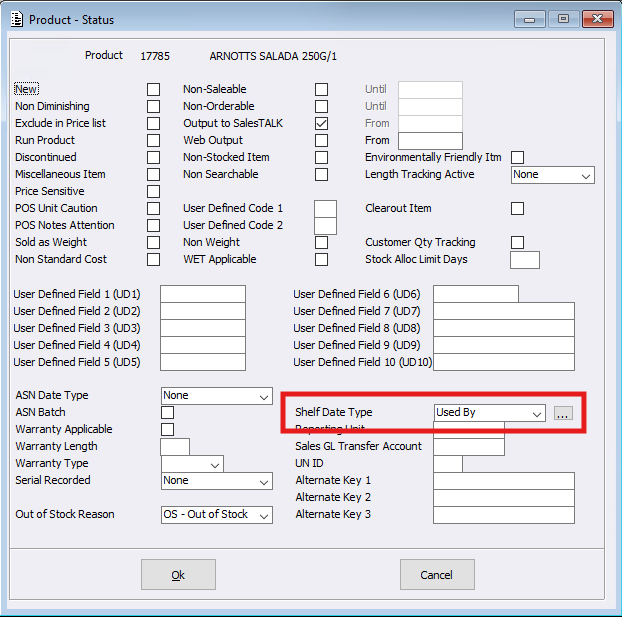
Once ‘Shelf Life Tracking’ is activated within the Configuration and a ‘Shelf Date Type’ is set to anything other than ‘N/A’, then the new ellipsis [ … ] button will be available.
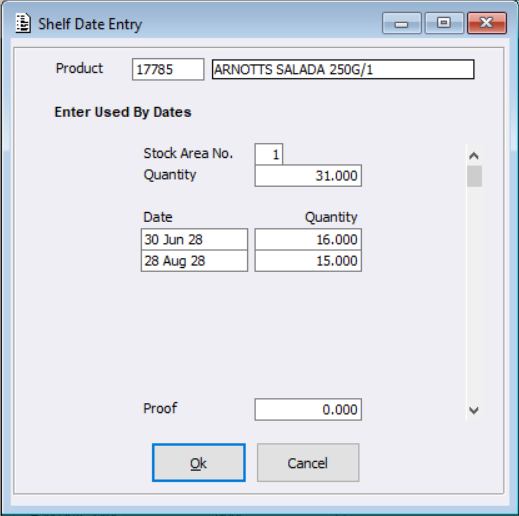
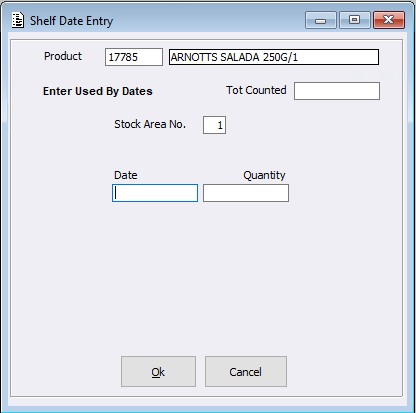
The first time the ellipsis button is selected, the ‘Shelf Date Entry’ screen will display, giving users the ability to set the dates and quantities per Stock Area. If ‘Shelf Life Tracking’ is set to ‘FIFO Mandatory’, then the total quantities per Stock Area must match the Stock on Hand. After these dates/quantities are saved, the next time a user enters the screen it will be a display only screen. Any amendments will need to be entered via a Stocktake or through Stock Adjustments.
Product conditions:
When ‘Shelf Life Tracking’ is on, ‘Shelf Date Type’ can not be set to anything other than ‘N/A’ if any of the following is True:
- ‘Non Diminishing Stock’ is set to True
- ‘Compiled Item’ is set to True
- ‘Miscellaneous Item’ is set to True
- ‘Sold as Weight’ is set to True
- ‘Set Length’ is set to either ‘Recorded’ or ‘Tracked’
- ‘Serial Recorded’ is set to either ‘Recording Only’ or ‘Full Tracking’
- Product is an ‘Included Item’
Export / Import Utility conditions
The Shelf Life Type field is available within the Export / Import Utility. The Product conditions for this new feature also apply to the Export / Import menu – please refer to the Product Conditions previously listed.
Note: If ‘Shelf Life Tracking’ is set to ‘FIFO Mandatory’, then Stock on Hand needs to be zero.
Invoicing / Point of Sale programs
If Shelf Dates are configured, when a Sale is processed the system will reduce the quantities by lowest Shelf Date first. When processing a negative Sale, the user will be prompted with the Shelf Date Entry screen (if configured to mandatory – the invoice will not print if the date is not keyed in).
Note: When Reverse Selected is used within Invoice Maintenance, the date and quantities will be prefilled with the values based on the original invoice.
Stock Adjustments / Stock Receipts (excluding Goods Return)
If Shelf Dates are configured, when a Stock Receipt / Adjustment is processed the user will be prompted with the Shelf Date Entry screen to key in the dates / quantities. (If configured to mandatory, the entered dates / quantities must fulfil the line quantity.)
Stocktake System
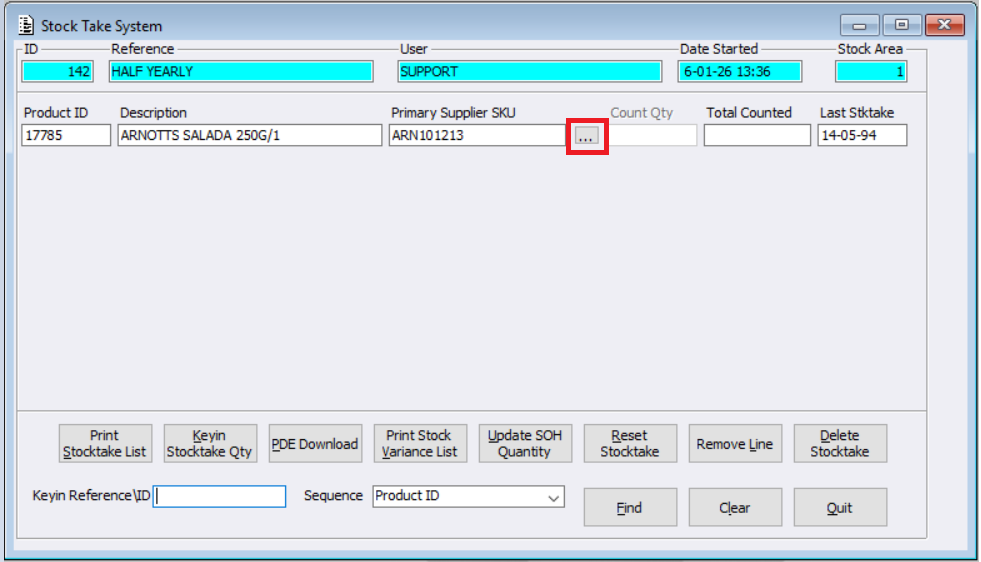
When ‘Shelf Life Tracking’ is configured and the product’s ‘Shelf Date Type’ is not N/A an ellipsis button will be available. This loads the Shelf Date Entry screen to key in the Shelf dates and quantities. If configured to be mandatory, the dates / quantities must be keyed in.
New Menu > Shelf Date Report
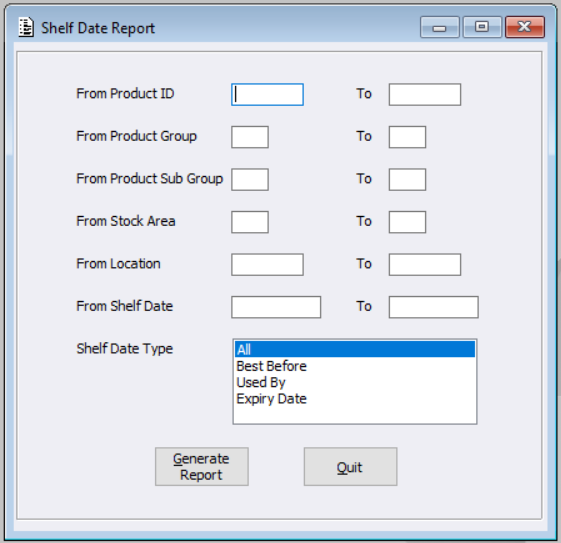
This new menu will enable users to create a report on Product Shelf Date details.
Apply the appropriate qualifiers and Generate the report.
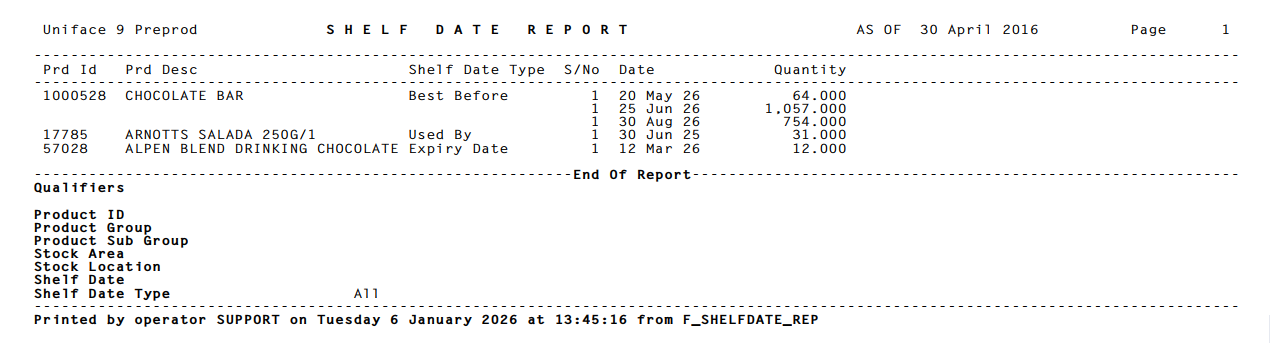
The below example is set to capture All Products and Shelf Types without restriction.
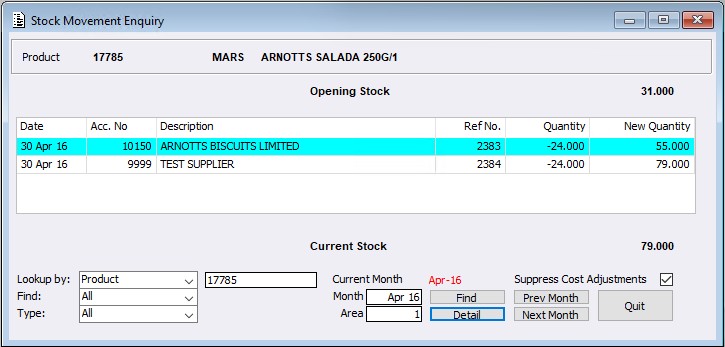
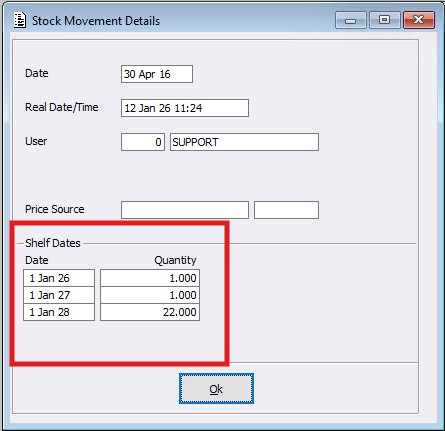
Stock Movement Enquiry > Detail button
If the record has existing Shelf dates / quantity movements for the entered Enquiry, these can be viewed within the Detail button.