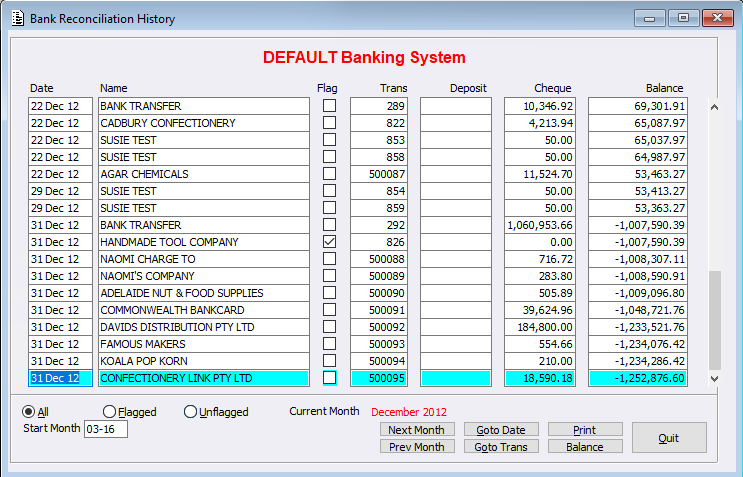
Within the Banking System we have created a new menu called ‘Bank Reconciliation History’. This new menu will allow users to review past month batches and drill down on selected records.
After selecting the menu and appropriate Banking System where applicable, Users are presented with the following screen displaying past Bank Reconciliation records. Drill down on a selected record to display further information. Users can move through completed months using the:
- Next Month button
- Prev Month button
- Go to Date button
- Go to Trans button (Transaction number)