
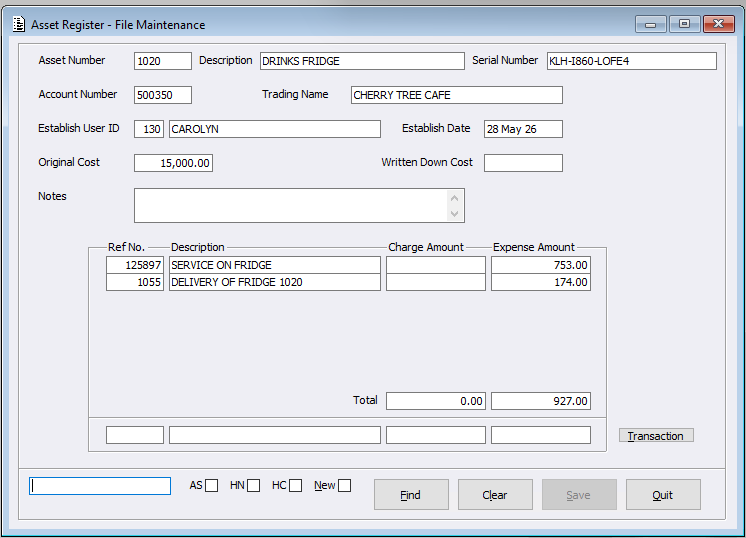
Within the Asset Register system, a Purchase Journal Entry can now generate Asset Register ‘Expense Amount’ Transactions.
When creating a Purchase Journal entry:
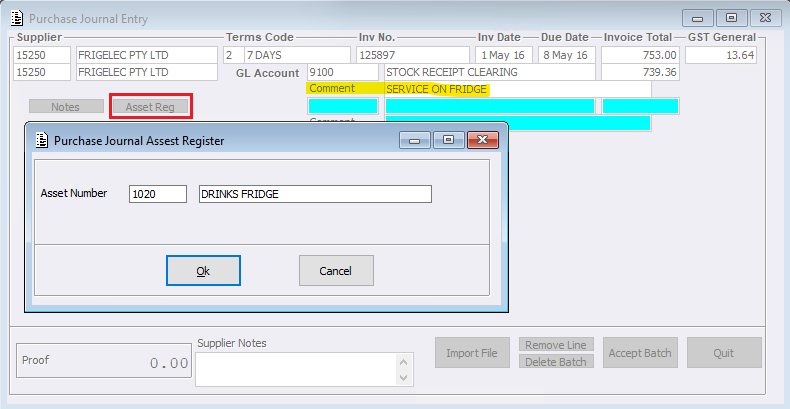
- Users can select the new ‘Asset Reg’ button allowing them to specify the Asset Number
- Users can enter a comment. The first ‘Comment’ entered on the entry will load as the Transaction Description value within Asset Register File Maintenance.
- If the first comment line is blank, then the system will use the ‘Supplier’s Name’ field value when using Purchase Journal Entry
Please note: the Asset Register System is only available within the Wholesale environment.