
Within the ‘eDocs Configuration’ screen, a new configuration called ‘Background Output Defaults’ has been created to control whether eDocs output is included when supported processes run in the background without displaying the printer selection screen.
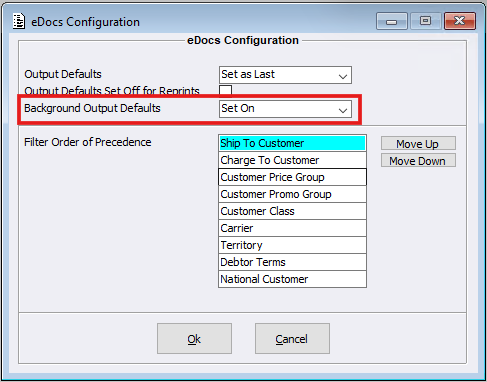
The ‘Background Output Defaults’ configuration is automatically set to ‘Set On’ during installation.
Users can choose from the following options:
- ‘Set On’ – Includes the eDocs output option as enabled when supported background processes are run.
- ‘Set Off’ – Includes the eDocs output option as disabled when supported background processes are run.
This configuration ensures consistent eDocs output behaviour for background processes, removing any reliance on previous printer selection settings. This includes processes such as Job Master running ‘Activate Wrappers’ for Default Reports.
The following processes now use the ‘Background Output Defaults’ configuration when running without the printer selection screen:
- Default Report: Debtor Statements
- RF Gun Picking Slip Print
- Auto Process Electronic Orders
- Pay Advice Slips printed via Payroll Auto Complete
- Auto Scheduling
Please note: This configuration only applies when processes are run in the background and the printer selection screen is not displayed.