
Within the Warehouse System, two new menu options have been created called ‘Picking Enquiry’ and ‘Picking Report’. These new menus provide detailed visibility into warehouse picking activity. From this release onwards, warehouse picking information will be captured and stored to support both the enquiry screen and reporting functionality.
Users can access the new ‘Picking Enquiry’ screen to review picking information for individual invoices.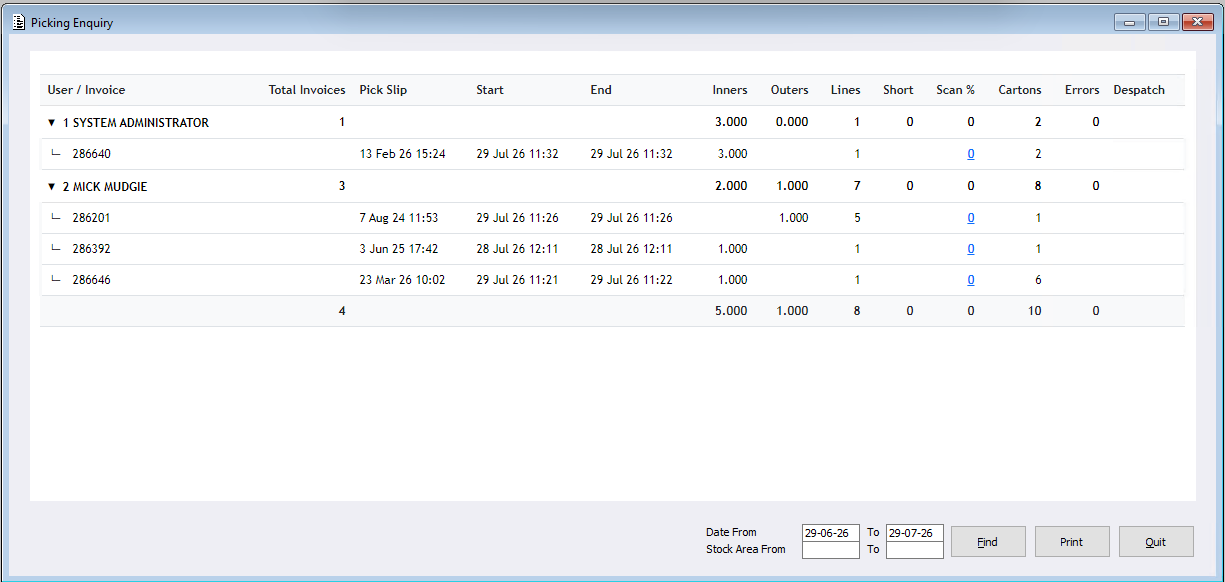
Please note: The user associated with an invoice is determined by the picking method used. For orders picked using an RF Unit, the recorded user is the picker. For orders processed using the Confirmation System, the recorded user is the packer who completed the confirmation process. As a result, sites may see different users recorded against invoices depending on their warehouse workflow. This is expected behaviour.
Users can also generate a new ‘Picking Report’, allowing the information to be filtered, printed and customised by Date and Stock Area to suit reporting requirements.
This report is also supported within Default Reports, meaning users can create the report with required Qualifiers and apply a Wrapper. Enabling the report to be run automatically by the system as desired by the user.
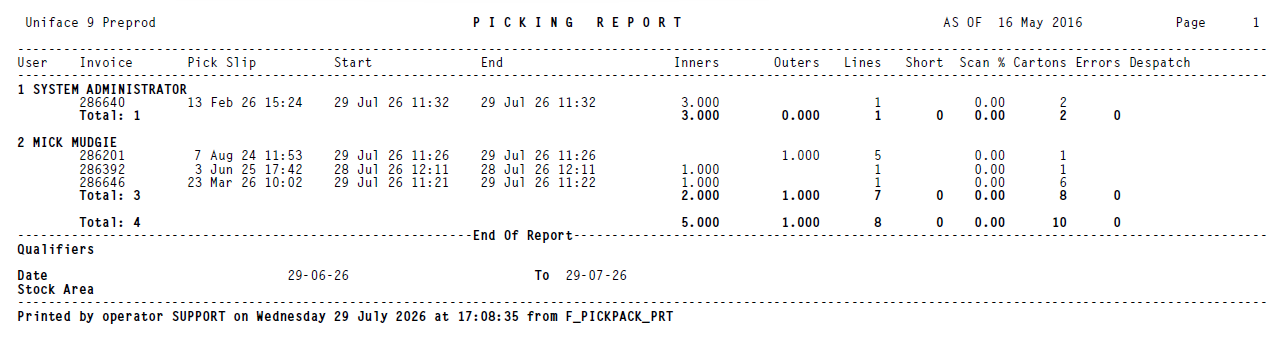
The ‘Picking Enquiry’ and ‘Picking Report’ provide information including:
- Date and time the invoice became a picking slip
- User who completed the pick
- Pick start and finish times
- Number of inners and outers picked
- Number of picked lines
- Number of short lines
- Scan percentage
- Number of cartons