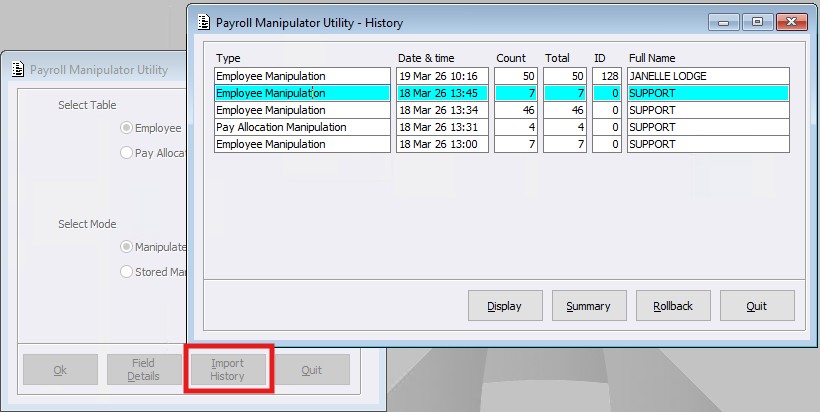
Within the Payroll System a new menu called ‘Payroll Manipulator Utility’ has been created. The Payroll Manipulator Tool enables authorised users to perform bulk updates to Employee and Pay Allocation records directly within the system, without the need to export or import data. It provides a structured, auditable, and reversible method of maintaining Payroll data.
The manipulator tool supports both Employee Maintenance and Pay Allocation menus and provides the following key functionalities:
- Bulk qualification of records using any available field
- Selection of one or more fields to update
- Entry of new values applied across all qualified records
- Review screen displaying current vs new values
- Execution as a single transaction batch
- No data export or file generation
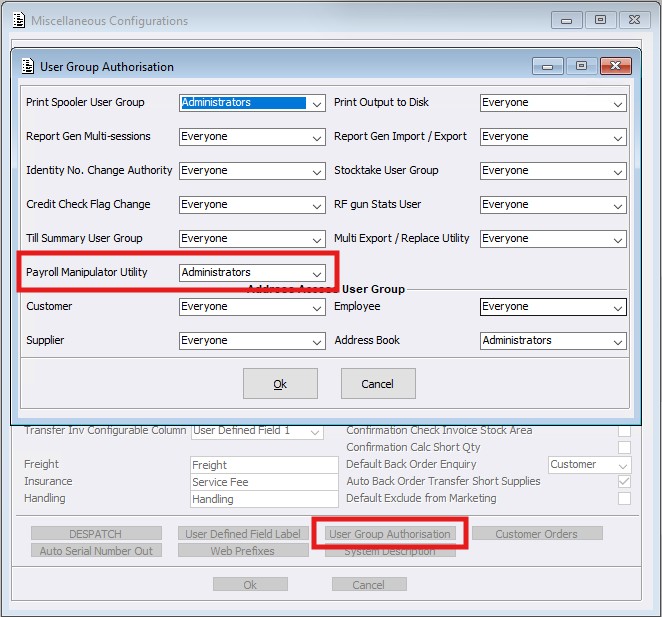
Whilst the Payroll Manipulator Utility Defaults to ‘No Access’, ensuring only authorised users can access this functionality, access is controlled via a new permission within Misc Configurations > User Group Authorisation.
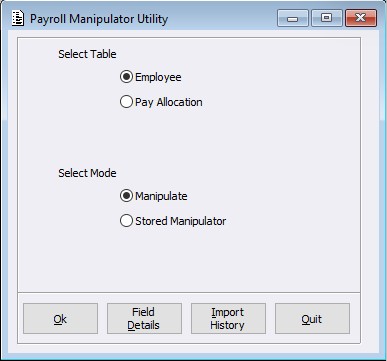
The Utility table is very similar in design to the Export Import Utility, providing Users a familiar framework. Within the below screen Users can select the required record type of Employee or Pay Allocation.
Upon selecting OK, the qualifying screen will load allowing the user to select the fields to manipulate and qualify by selection criteria.
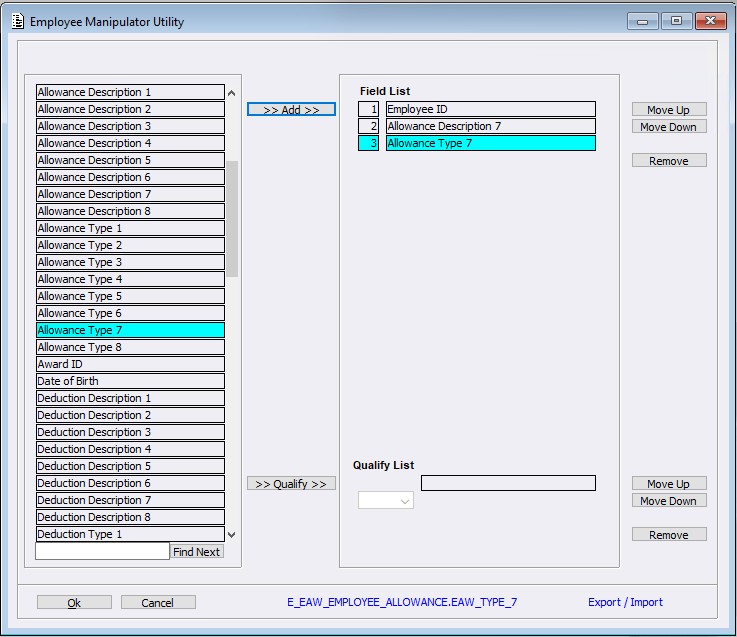
When selecting a field, the field name will be displayed at the bottom of the screen. The colour of this line determines how the utility will treat the column on Importing:
- Red = Field is export only. This column will be ignored on Import.
- Blue = Importable. This column will be used to update the record.
- Black = Importable and not (<NON-NULL>). This column will be used to update the records but it cannot be left blank and must have a value entered.
On selecting OK, the Manipulator Values screen will load, allowing users to enter the new field values to be updated. 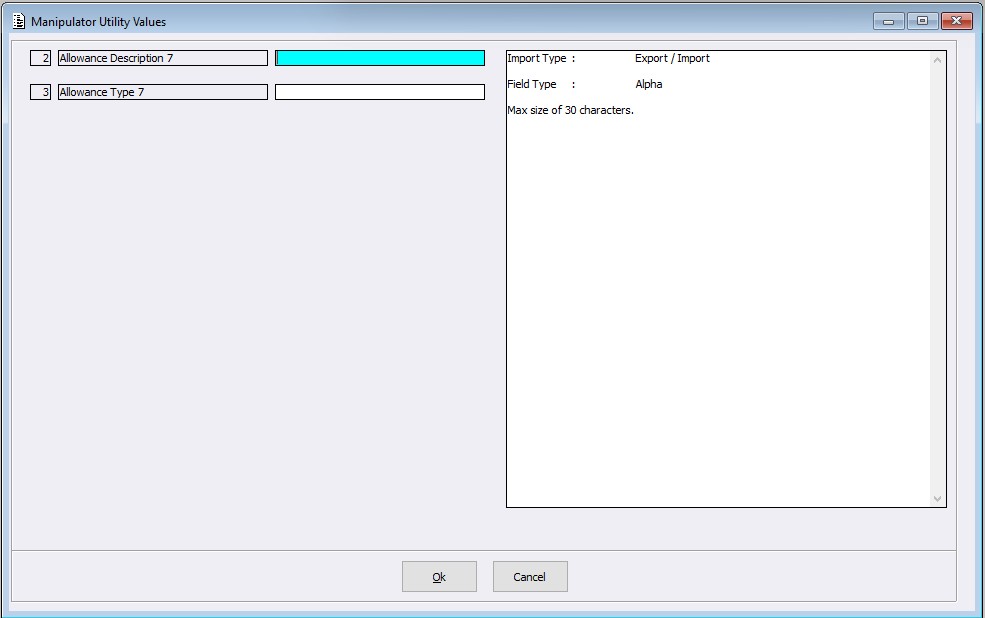
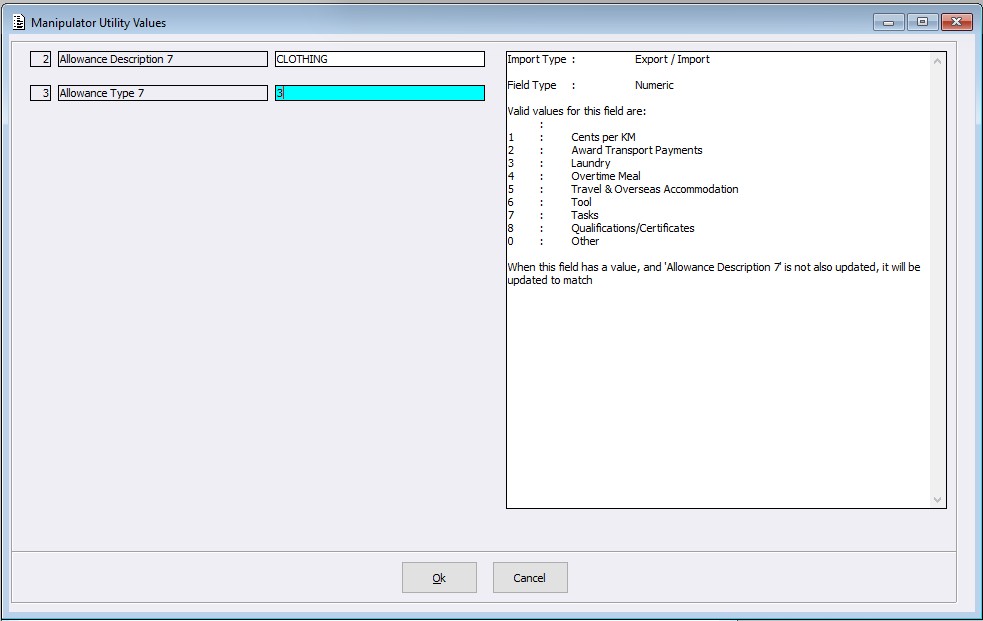
Once values have been entered, on selecting OK, the Manipulator Utility screen will load for review of the impacted records, including:
- Existing values
- New values
- Validation messages
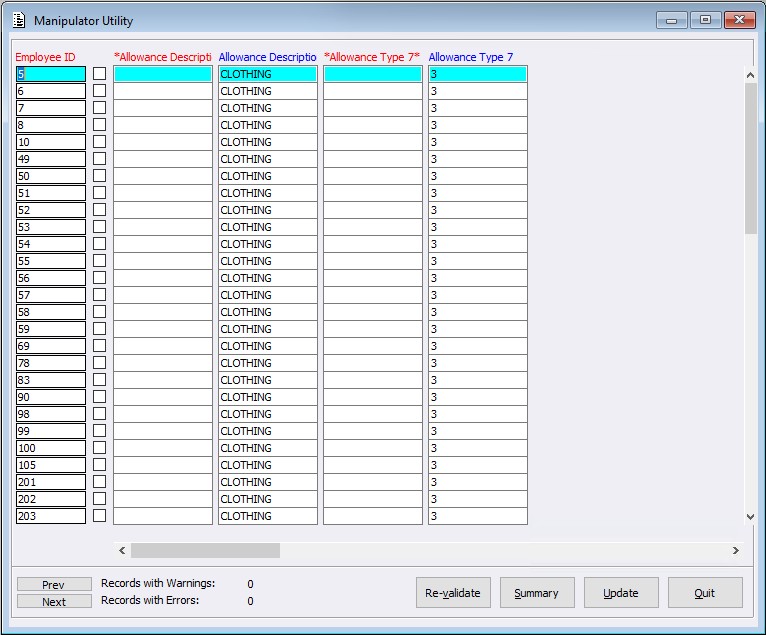
Once the User has reviewed all changes within the above screen, select Update to execute the manipulation within the Payroll System. If the Update button is not selected, no changes will be saved.
Changes made within the Manipulator tool will be recorded within the Payroll Change Log History program, reflecting the User, timestamp, and field-level changes. Within the Import History screen, Users can select Display / Summary / Rollback for each manipulation record where required.