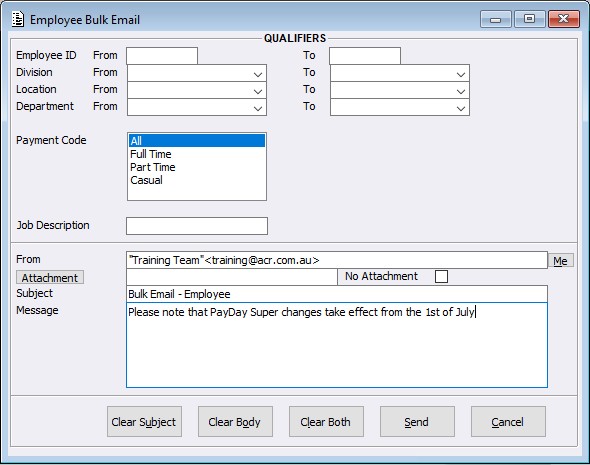
Within the Payroll System, a new program called ‘Employee Bulk Email’ has been created. This program enables users to send bulk email communications to a filtered group of Active employees directly from within Payroll.
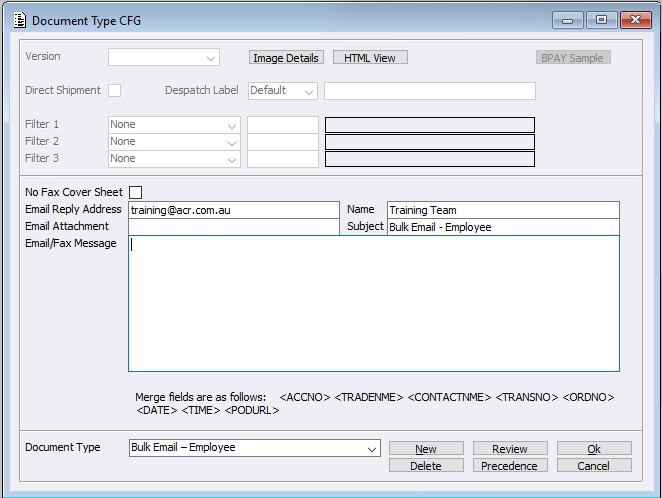
For sites to generate these emails for their Employees, firstly sites must have the eDocument type configured, this can be found within the ‘eDocument Document Type’ menu. Select the ‘Bulk Email – Employee’ type and set the fields / message as required.
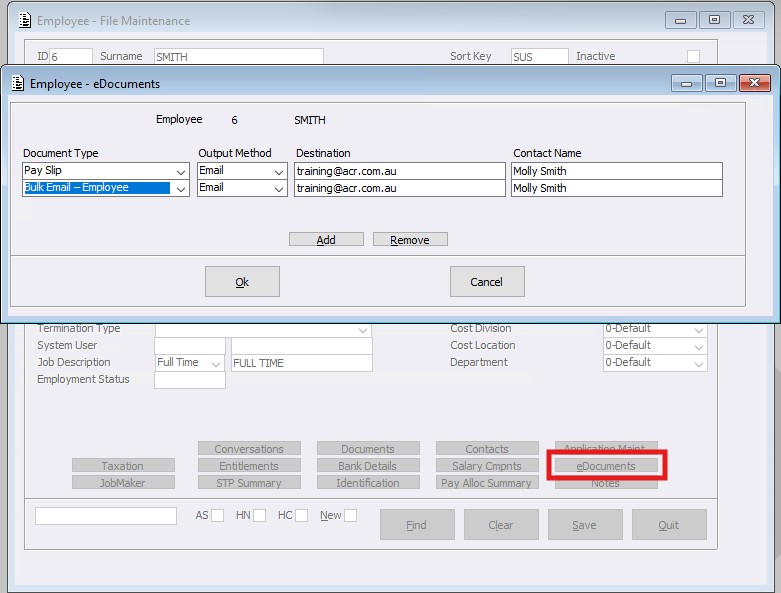
Once the site has configured their system for this eDocument type, the next step is to configure the Employees. Within the Employee Maintenance eDocuments tab, the Document Type can be added.
The Qualifying screen below provides standard From and To range qualifiers for the following fields:
- Employee ID
- Division
- Location
- Department
In addition, a Payment Code and Job Description filters are available with the following employment types (multi-select permitted):
- All
- Full Time
- Part Time
- Casual
Where no employment type is selected, all types will be included. Where one or more types are selected, only employees matching those selections will be included.
Select Send to output the Email/s. Note: Only employees flagged as Active will be included in the generated email list.