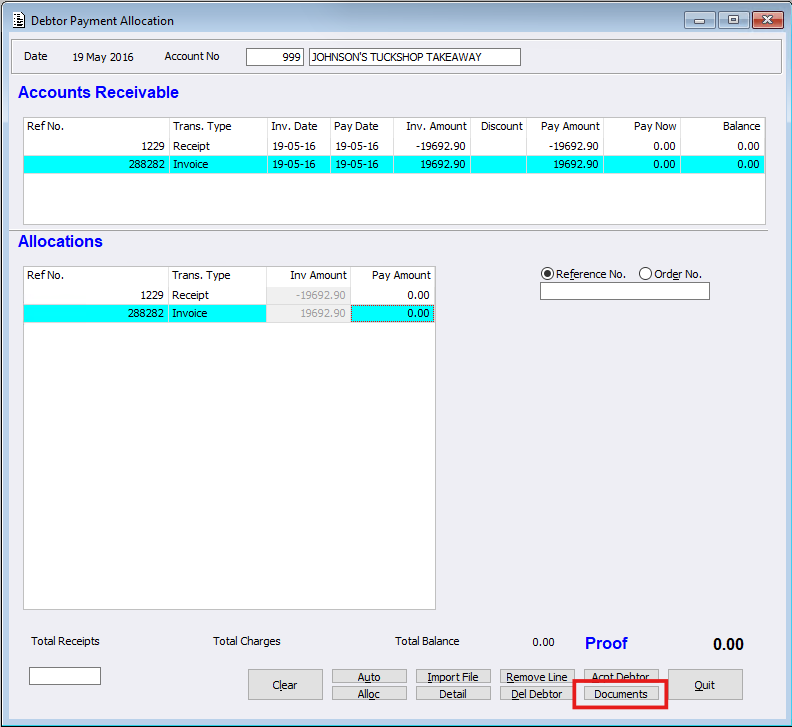
Within ‘Debtor Payment Allocation’, a new ‘Documents’ button has been created for manual Debtor Allocations. This means Users can now upload documents relating to Debtor Payments when manually allocating a payment within Debtor Payment Allocation.. The documents button uses the DSR program, providing support for sites to upload and retain remittance advice or other supporting documents against a Debtor Allocation, making these documents easily accessible for future reference.
Debtor Payment Allocation
The ‘Documents’ button becomes available once the debtor allocation is able to be accepted. Selecting ‘Documents’ allows users to upload a remittance advice or another supporting document against the allocation. Once uploaded, these documents are retained against the allocation and can also be accessed from with Debtor Enquiry.
Debtor Enquiry
Supporting documents uploaded during Debtor Payment Allocation can now be viewed directly against the related transaction within Debtor Enquiry.
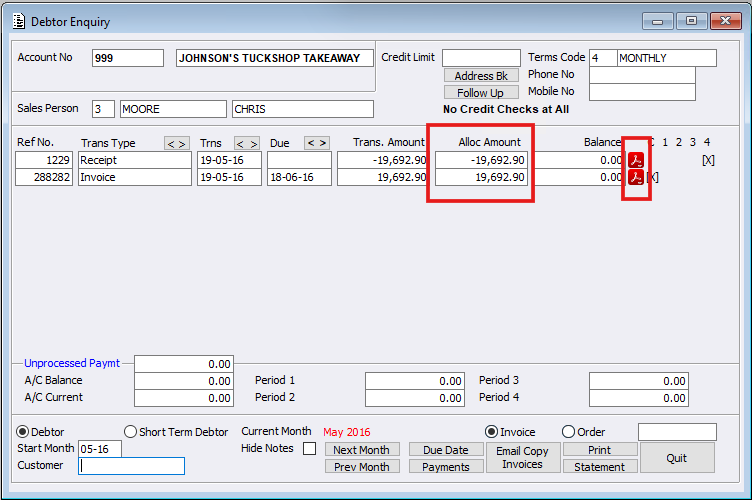
Users can click the PDF symbol to open the uploaded document. If multiple documents are attached to the allocation, an Index screen will be displayed, allowing the user to select the required document. Alternatively, users can double-click the ‘Alloc Amount’ to open the Debtor Allocation details.
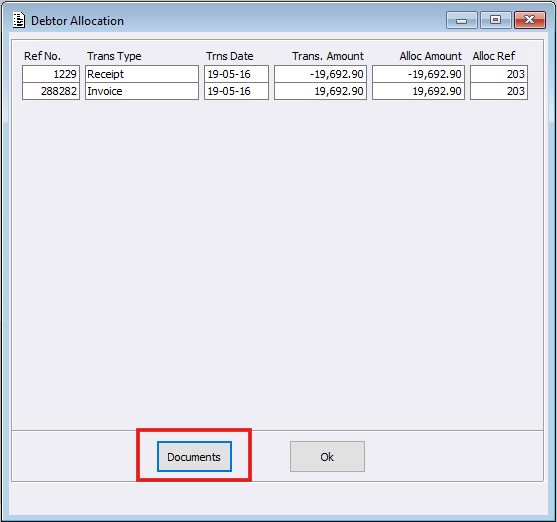
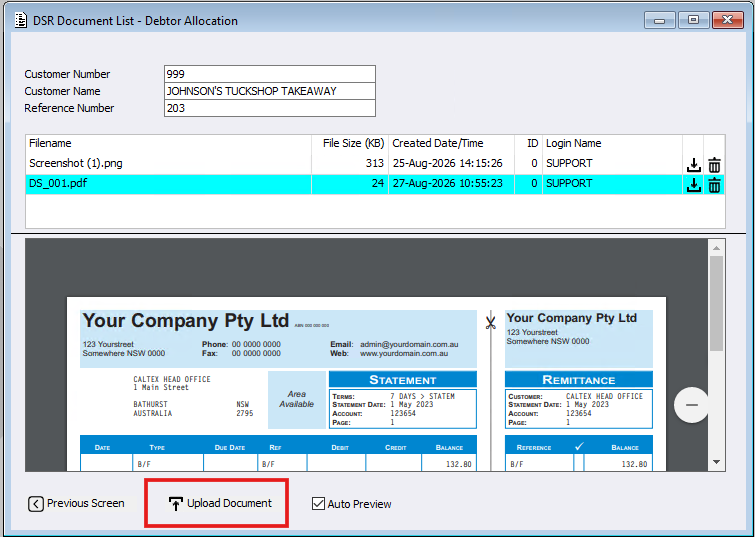
From here, select the ‘Documents’ button to open the DSR screen. This screen displays a list of all documents associated with the selected allocation, allowing users to;
- Review the documents by selecting which document from the list
- Delete documents by pressing the trash can icon
- Add additional documents by selecting ‘Upload Document’.