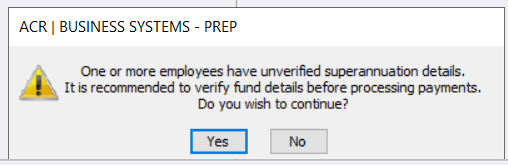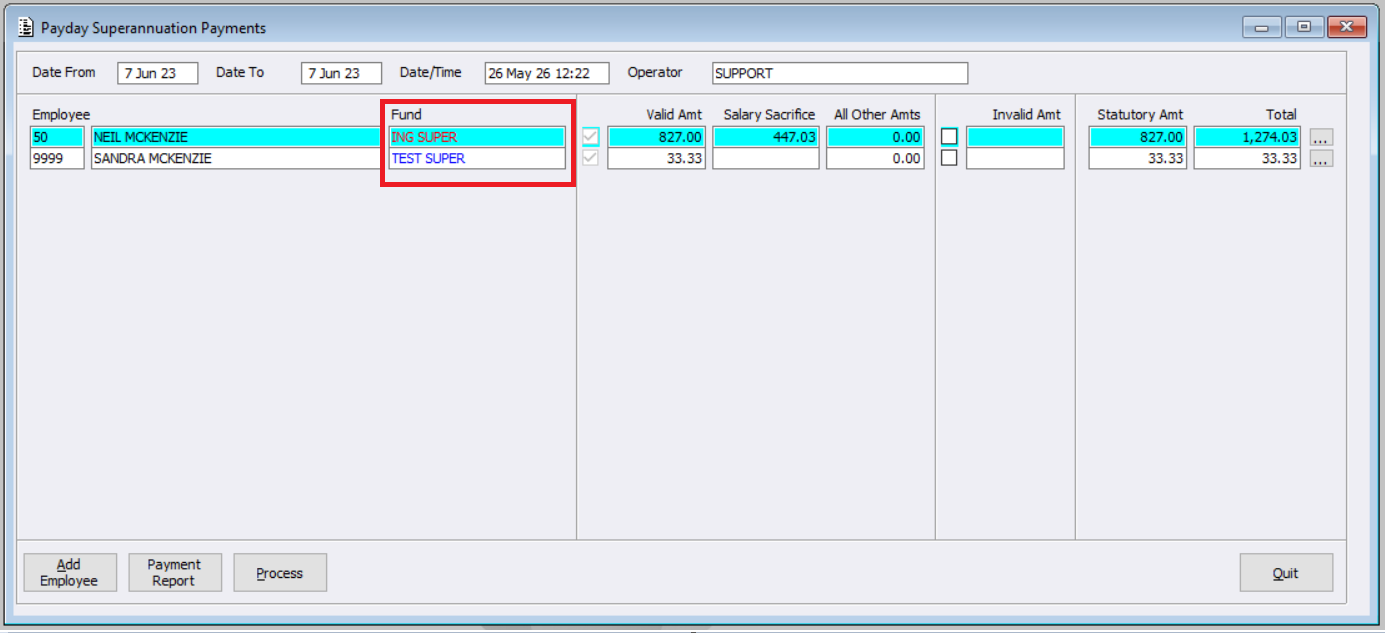
Within the Payday Superannuation Payments menu, and in support of the new Member Verification Requirements, a colour indicator has been added to the Fund field. When generating the Payment Report or processing Payday Superannuation payments, the system will check for any employees with unverified Superannuation details.
The Superannuation fund text on each Employee will either be in blue, or red, depending on if Superannuation fund details have been verified or not. Users can hover over the fund name to view additional information regarding the verification status:
- Blue: ‘Super fund details verified on [date]’
- Red: ‘Super fund details not verified (MVR required for new employees or fund changes)’
If one or more unverified Employees exist, a warning will be shown on selection of ‘Payment Report’ or ‘Process’ buttons. Users will have the option to:
- Continue with processing, or
- Cancel and update the employee records before proceeding